Make every website feel a little calmer
Chrome Themes adds a soft, pastel background to the sites you visit, like YouTube, Wikipedia and your favorite blogs. Pick a theme and the web gets easier on the eyes.
Free forever. Pro is optional. Works in Chrome on Windows, Mac and Linux.
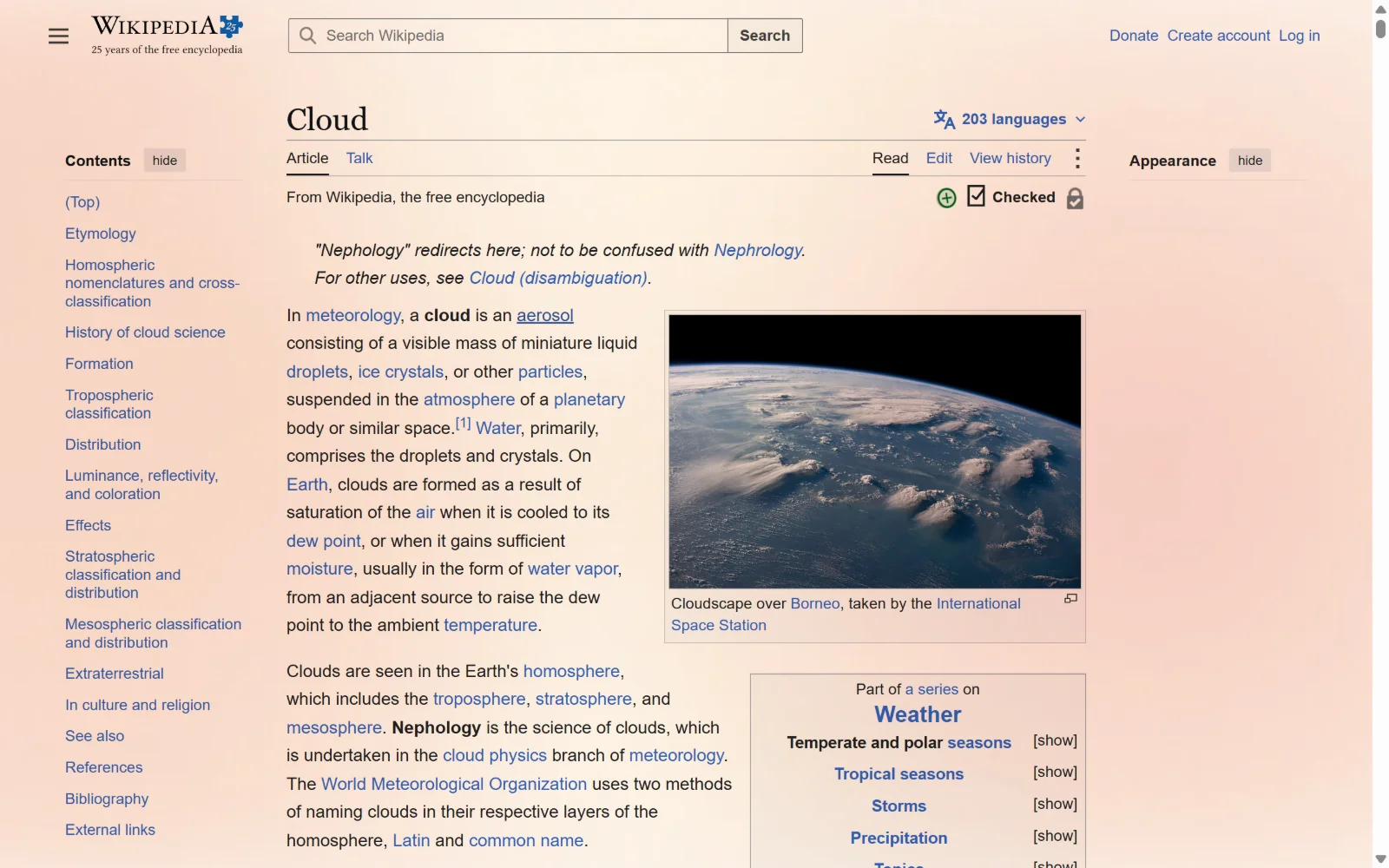
How it works
Four small steps. No account needed to start.
Step 1
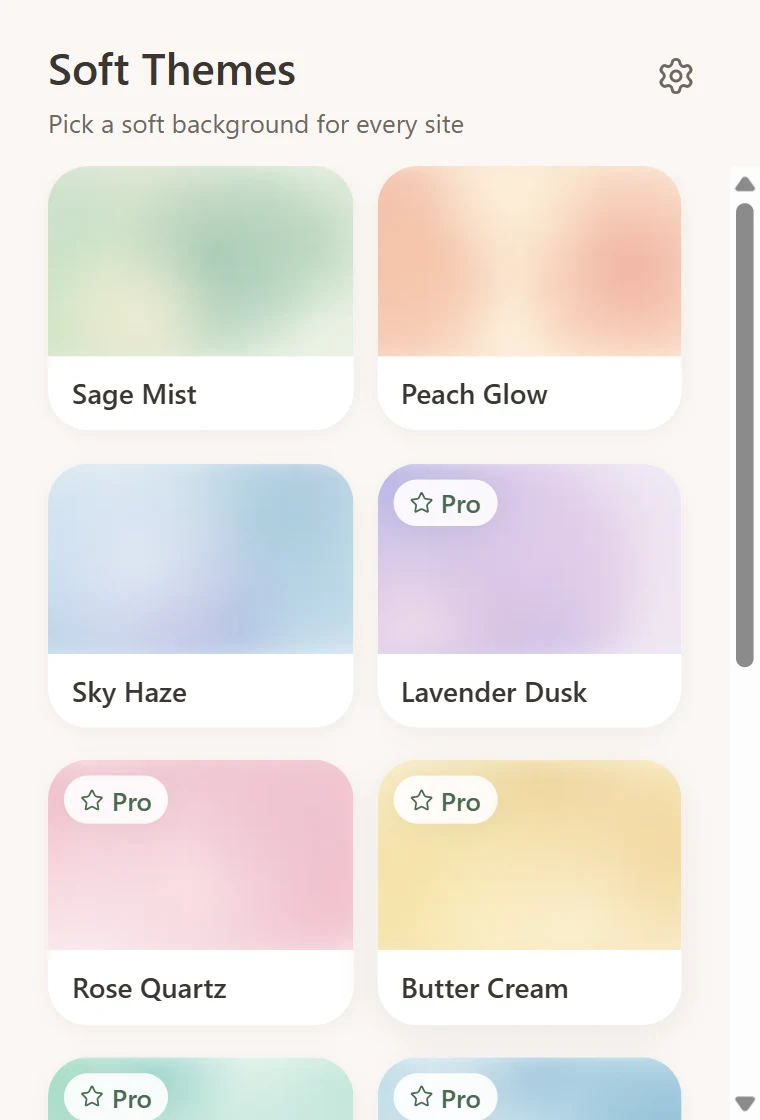
Pick a theme
Browse a gallery of soft, pastel themes. 3 of them are free to use right away.
Step 2
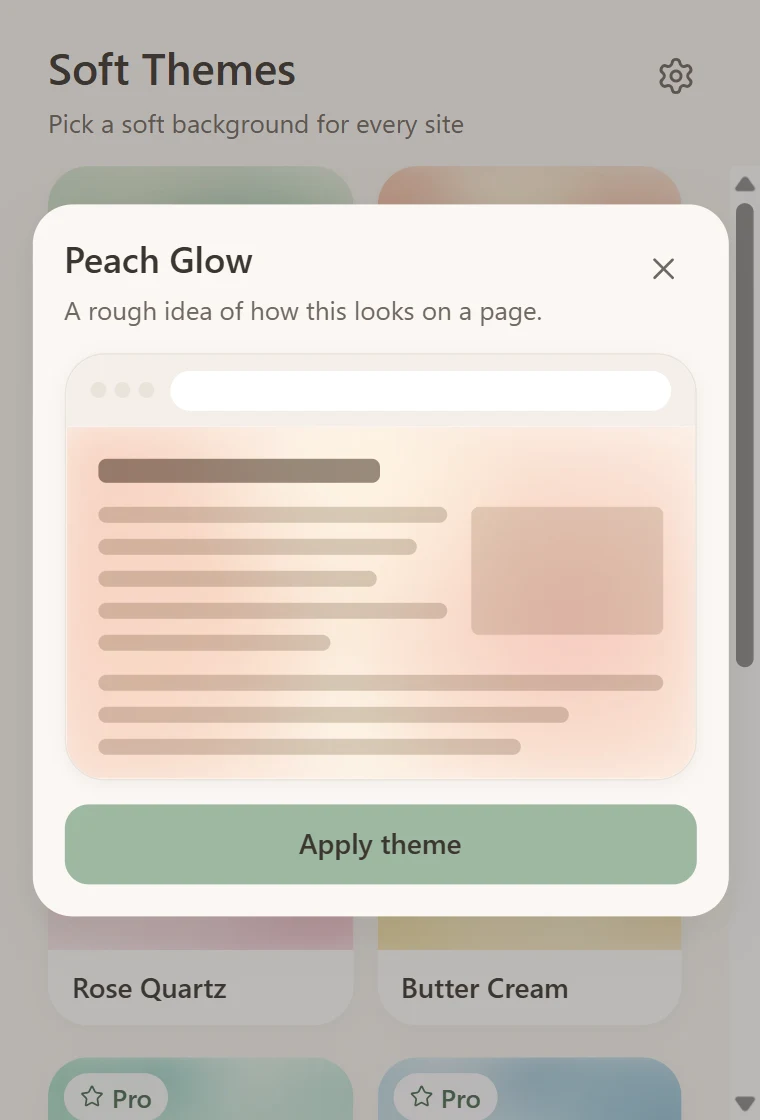
Preview before you apply
See roughly how a theme will look on a web page, then apply it with one click.
Step 3
Enjoy it on every site
The theme shows up on the sites you open, and on tabs that are already open. No reload needed.
Step 4
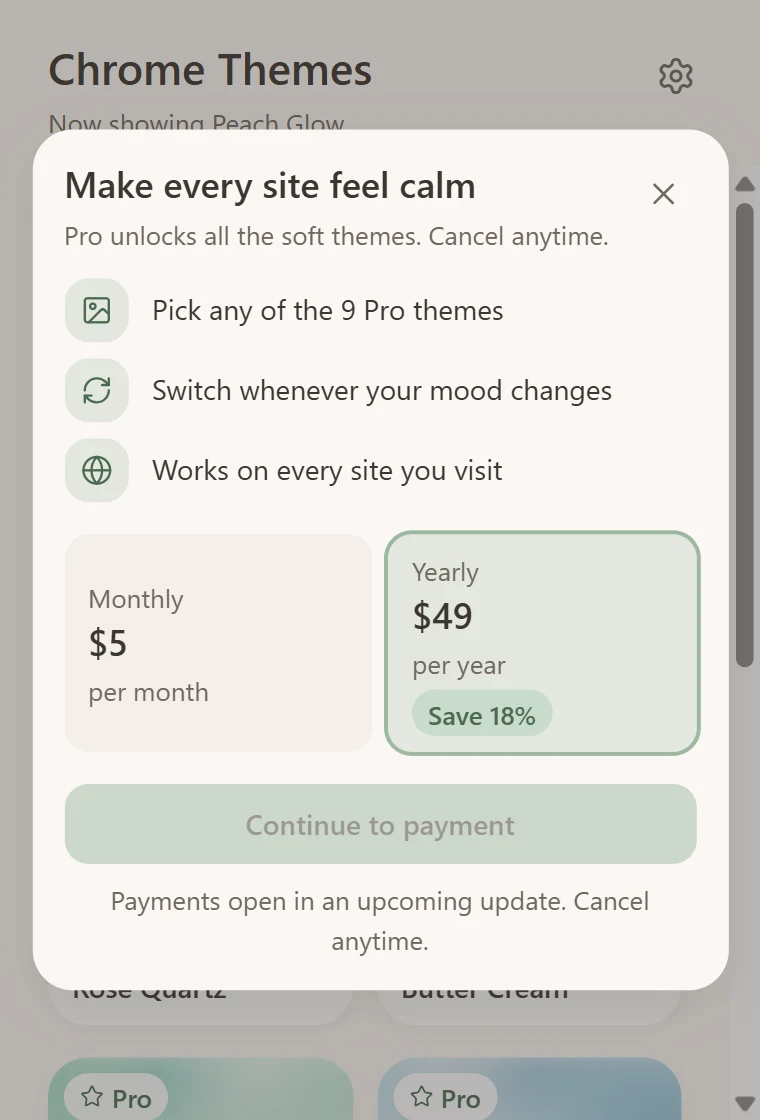
Go Pro when you want more
Unlock all 12 themes and switch whenever your mood changes. Cancel anytime.
Simple pricing
Start free. Upgrade only if you want every theme.
Free
$0
- 3 soft themes to use
- Preview all 12 themes
- Works on the sites you visit
- Free forever
Pro
$5 / month
- Everything in Free
- All 12 themes, 9 more to pick from
- Switch whenever your mood changes
- Cancel anytime
You upgrade inside the extension. Prices are in US dollars.
Questions, answered
What does Chrome Themes do?
It puts a soft, pastel picture over the sites you visit, such as YouTube, Wikipedia and your favorite blogs, so the web feels calmer. You choose the theme in the extension and can remove it any time.
Is my data safe?
Yes. The extension only adds a style sheet to your pages. It never reads, saves or sends what is on them, and there are no trackers or analytics. If you buy Pro, we keep only your email address and your subscription status. Read the privacy policy.
Why does Chrome say it can “read and change all your data on all websites”?
That is Chrome’s standard wording for any extension that works on every site. Chrome Themes needs that access only to attach its background to pages. It does not run scripts on your pages or look at their content.
Which sites does it work on?
Most websites. Chrome does not let any extension change its own pages (the new tab page, chrome:// pages and the Chrome Web Store) or its built-in PDF viewer. On sites with dark backgrounds the effect is more subtle.
How do I cancel?
You can cancel yourself at any time: sign in at app.lava.top with the email you used to pay, open “My purchases”, choose your subscription and press “Cancel”. Or just email us at extensioncreator01@gmail.com and we will cancel it for you. You keep Pro until the end of the period you already paid for. If you are not happy, you can also ask for a refund within 14 days. Refund policy.
What happens if I stop paying for Pro?
The free themes keep working forever. If you were using a Pro theme, the extension switches you to a free one. You can subscribe again at any time.